Date Published
July 17, 2024
Total Read
6 min
Tags
Imagine opening your website and asking yourself, "Can people with disabilities use this effectively?" or "How do I assess my website's accessibility?" One reliable method is to evaluate your site against established standards or measurable criteria. The gold standard for web accessibility is the Web Content Accessibility Guidelines (WCAG).
WCAG stands for Web Content Accessibility Guidelines, often pronounced as "wuh-cag" or "double-u cag". It was developed by the Web Accessibility Initiative (WAI) of the World Wide Web Consortium (W3C), the same organization that establishes standards for HTML and CSS.
WCAG defines how to make web content more accessible to people with disabilities. It provides a baseline set of guidelines that digital content must meet to ensure minimum levels of accessibility. Content that doesn't meet these standards is not considered accessible.
It enables organizations to measure the accessibility of their content, sites, and apps against documented "success criteria".
Compliance with WCAG typically ensures adherence to most federal, state, and local accessibility laws.
It's a valuable resource for businesses and organizations aiming to make their web content more inclusive.
WCAG encompasses guidelines relevant to design, content, and code, making it beneficial for all members of a production team to be familiar with its principles.
By following WCAG, you can create a more inclusive digital experience and potentially broaden your audience while meeting legal requirements.
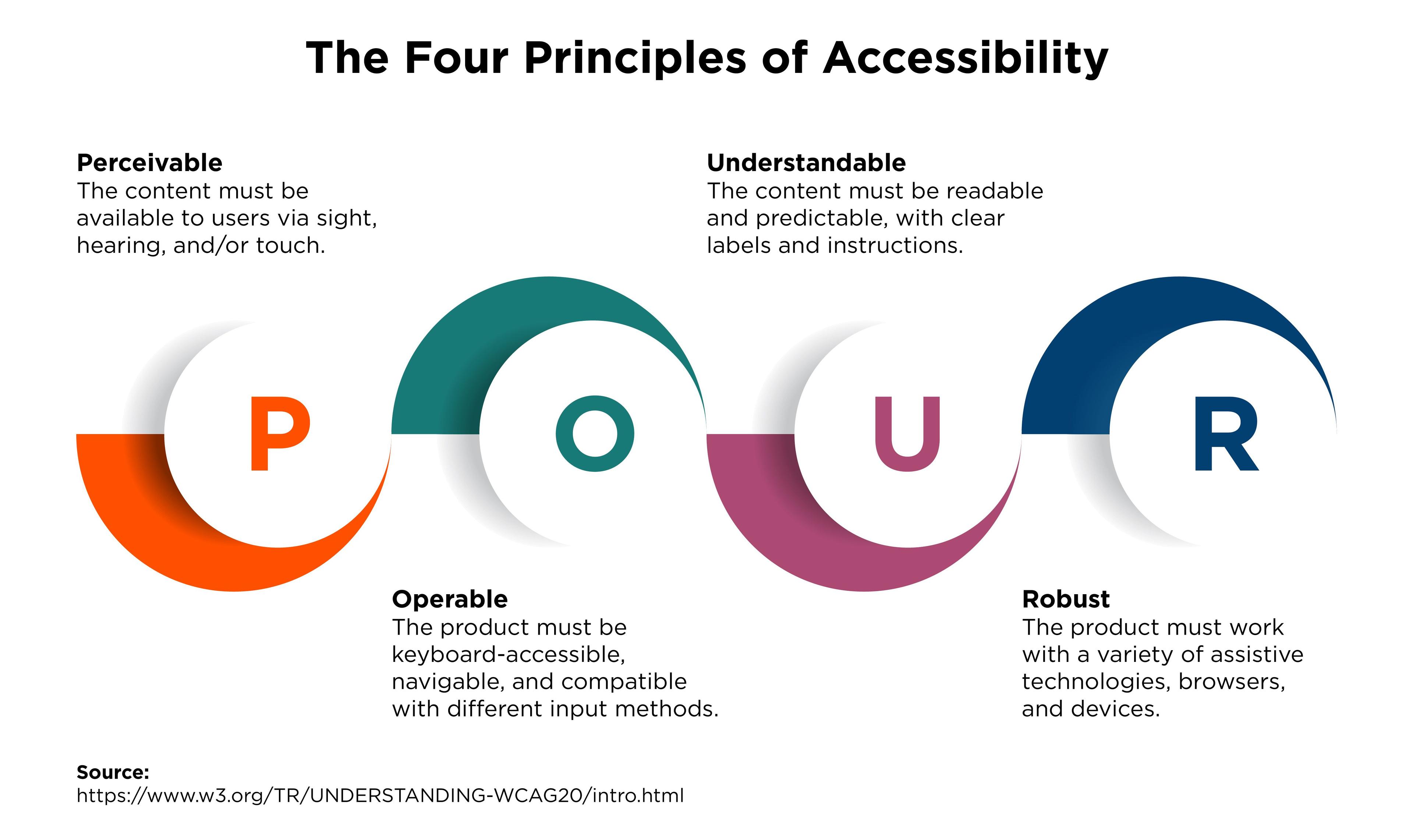
The Web Content Accessibility Guidelines are built around four fundamental design principles, often referred to by the acronym "P.O.U.R":
Perceivable: Users must be able to perceive web content through at least one of their senses. Content cannot be invisible to all senses.
Operable: Users must be able to interact with and control UI elements (e.g., buttons) through various means such as mouse, keyboard, or voice commands. The interface cannot require interactions that a user is unable to perform.
Understandable: Content must be clear and comprehensible to its intended users.
Robust: Content must be developed using well-adopted web standards to ensure compatibility across different browsers, both current and future.
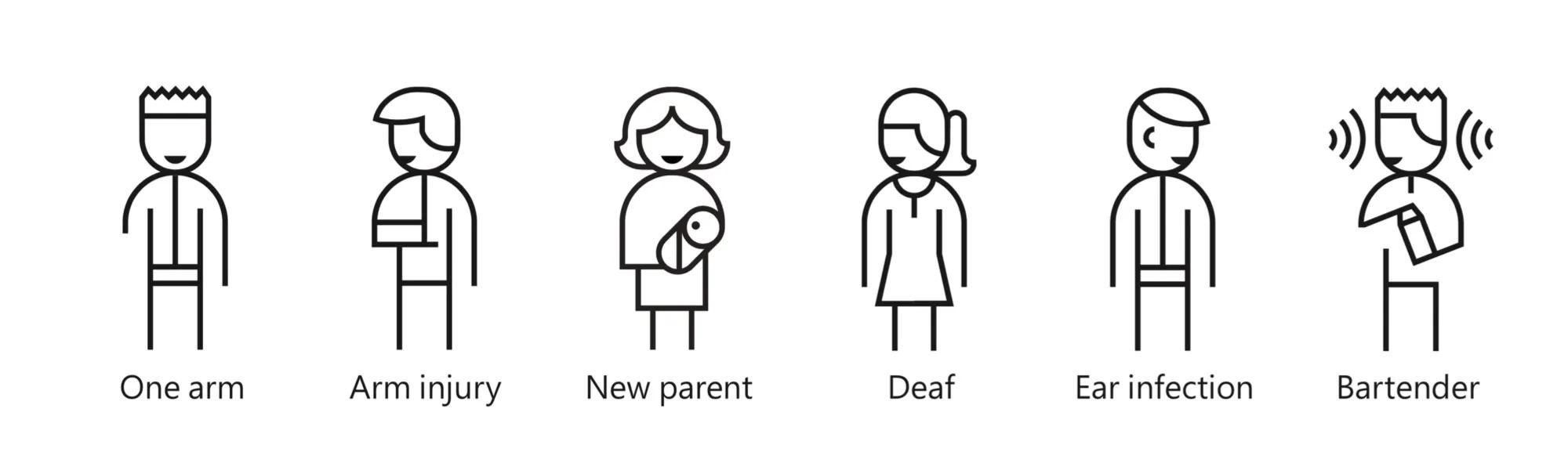
By focusing on principles rather than specific technologies, WCAG emphasizes the importance of considering diverse ways people interact with content. These guidelines aim to be inclusive of as many people with disabilities as possible, regardless of their abilities or circumstances. This includes users with impairments related to:
Vision
Hearing
Mobility
Speech
Cognition (thinking and understanding)
They apply to all aspects of your digital service, including design, code, content, and interactions.
All team members should be familiar with these principles to create more accessible products.
The guidelines are also applicable to mobile content.
By adhering to these principles, you can create more inclusive and accessible web experiences that cater to a wider range of users, regardless of their abilities or the technologies they use to access the web.
The Web Content Accessibility Guidelines (WCAG) 2.1 are structured around 13 guidelines, organized under the four core principles (P.O.U.R). Each guideline has a number and a statement describing its requirements.
1.1 Text Alternatives: Provide text alternatives for non-text content.
1.2 Time-based Media: Offer alternatives for time-based media.
1.3 Adaptable: Create content that can be presented in different ways without losing information or structure.
1.4 Distinguishable: Make it easier for users to see and hear content, including separating foreground from background.
2.1 Keyboard Accessible: Ensure all functionality is available from a keyboard.
2.2 Enough Time: Provide users sufficient time to read and use content.
2.3 Seizures and Physical Reactions: Avoid designing content known to cause seizures or physical reactions.
2.4 Navigable: Provide ways to help users navigate, find content, and determine their location.
2.5 Input Modalities: Facilitate functionality through various inputs beyond keyboard.
3.1 Readable: Make text content readable and understandable.
3.2 Predictable: Ensure web pages appear and operate in predictable ways.
3.3 Input Assistance: Help users avoid and correct mistakes.
4.1 Compatible: Maximize compatibility with current and future user agents, including assistive technologies.
While these guidelines provide a framework for accessibility, they are intentionally open to interpretation. This flexibility can make them challenging to measure and test. To address this, WCAG breaks down each guideline into specific, largely technical requirements called "success criteria."
They make the guidelines actionable, measurable, and testable.
They provide concrete benchmarks for accessibility compliance.
Meeting these criteria ensures your digital service conforms to accessibility standards.
By adhering to these guidelines and their associated success criteria, you can create more inclusive and accessible web experiences that cater to a diverse range of users, regardless of their abilities or the technologies they use to access the web.
The 13 WCAG guidelines are further broken down into 78 success criteria (SCs), which form the core of WCAG standards. As David MacDonald, President of CanAdapt and WCAG Working Group Invited Expert, states:
They are the smallest, most specific division of WCAG standards.
Each SC is a testable, technical statement targeting one or more specific accessibility issues.
They are designed to be objectively verifiable, allowing for consistent evaluation across different websites and applications.
SC 1.4.1 Use of Color: "Color is not used as the only visual means of conveying information, indicating an action, prompting a response, or distinguishing a visual element."
SC 1.4.4 Resize Text: "Except for captions and images of text, text can be resized without assistive technology up to 200 percent without loss of content or functionality."
SC 3.1.1 Language of Page: "The default human language of each web page can be programmatically determined."
They provide a clear, measurable standard for accessibility
Enable consistent evaluation and testing of web content
Help developers and designers create more inclusive digital experiences
Content that satisfies these criteria is said to 'conform' to WCAG. However, it's important to remember that while meeting these criteria is crucial, it's just one part of creating truly accessible and user-friendly web experiences.
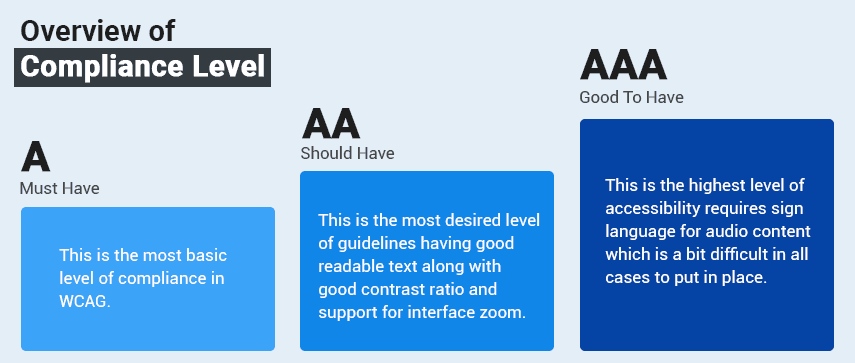
While the Web Content Accessibility Guidelines (WCAG) are not inherently enforceable, many global accessibility regulations require conformance with WCAG success criteria. The most widely adopted standards are WCAG 2.0 Level A and Level AA.
For organizations without specific accessibility regulations but seeking to mitigate legal risks, WCAG 2.1 Level AA compliance is recommended. WCAG 2.1 encompasses all WCAG 2.0 guidelines while providing additional guidance for:
Mobile device users
Touch and voice interfaces
Users with cognitive disabilities
Accessibility experts typically audit websites using some or all of the 78 success criteria.
Each aspect of a site is reviewed to determine if it passes or fails these criteria.
The audit results help determine if a website conforms to WCAG guidelines and can be considered "accessible."
WCAG forms the basis for many accessibility testing tools, serving as a benchmark for identifying potential issues.
Important Caveat: While WCAG provides a practical and helpful framework for measuring accessibility, it's crucial to understand that satisfying WCAG criteria does not guarantee usability. Meeting these technical standards is a significant step towards accessibility, but it may not ensure a truly user-friendly experience for all individuals with disabilities.
Remember, accessibility is an ongoing process that requires a holistic approach, combining technical standards with user-centered design principles and real-world testing.